Home
Log In
DEVELOPMENT BOARDS AND ACCESS
EDUCATIONAL
AUDIO & VIDEO
CAR & OUTDOOR
COMPONENTS
COMPUTER
FIXINGS & HARDWARE
HOME & OFFICE
PROJECTS & MODULES
TOOLS & WORKSHOP
GIFT VOUCHERS
UNALLOCATED STOCK
Categories
DEVELOPMENT BOARDS AND ACCESS->
EDUCATIONAL->
AUDIO & VIDEO->
CAR & OUTDOOR->
COMPONENTS->
COMPUTER
->
|_ ACCESSORIES
|_ Adaptor Sets
|_ Books
|_ Cable->
|_ Networking Accessories->
|_ Peripherals->
|_ Power Supplies
|_ Surge Protection->
FIXINGS & HARDWARE->
HOME & OFFICE->
PROJECTS & MODULES->
TOOLS & WORKSHOP->
GIFT VOUCHERS
UNALLOCATED STOCK
Specials ...
Featured Products ...
All Products ...
New Products [more]
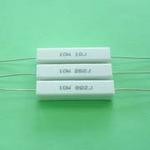
10W Resistor 0.33R (RSL339)
R11.09
Reviews [more]
Write a review on this product.
Featured [more]
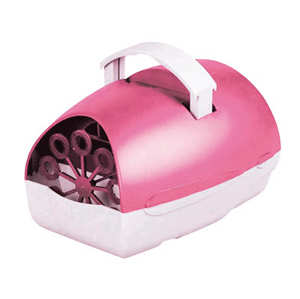
Pink Party Time Bubble Machine (AMP19G)
R287.50
Information
About Us
Shipping & Returns
Privacy Notice
Conditions of Use
Accessibility
Contact Us
Order Status
Site Map
Discount Coupons
Newsletter Unsubscribe
More Information
Page 2
Page 3
Page 4
Home
::
COMPUTER
::
ACCESSORIES
:: Wireless Mouse (UBQ20G)
ACCESSORIES
Product 8/10
Wireless Mouse (UBQ20G)
Wireless Mouse (UBQ20G)
R149.01
Using the 2.4 GHz USB receiver
Remove the nano USB receiver from underneath the mouse (or inside the battery compartment on some models).
Plug it into a USB port.
Switch the mouse to
2.4G
mode if it has a mode button.
It should connect automatically within a few seconds.
Add to Cart:
Model: UBQ20G
Shipping Weight: 0.2 lbs
1 Units in Stock
Ask a question about this item
This product was added to our catalog on Monday 03 August, 2026.
Securred
SSL
Notifications
Notify me of updates to
Wireless Mouse (UBQ20G)
Home
::
POPIA - Privacy & Personal Information
Your IP Address is: 216.73.216.200
Copyright © 2026
Yebo Electronics
. Powered by
Zen Cart